





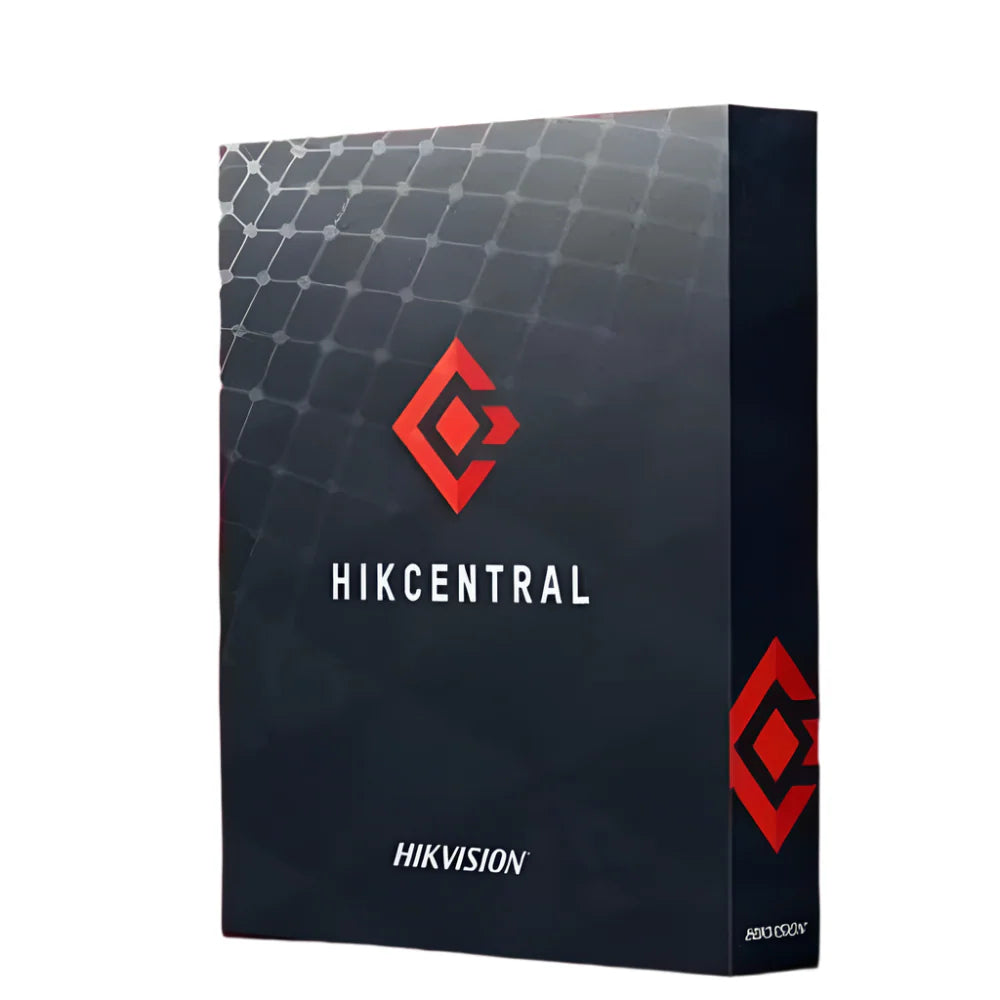
Hikvision HikCentral DS 5 Unit Base Pro HIKCENTRAL-P-DS-5UNIT-BASE-PRO
Built as a video management software licence for multi-site and professional security deployments, the HikCentral Pro 5-Unit Base licence connects and manages up to 5 devices within the HikCentral Pro platform. It provides a scalable foundation for operators who need centralised control, live monitoring, and recorded playback across Hikvision-connected hardware. Additional unit licences can be added as your system grows.
Why This Model
- Scalable licensing structure: Starting at 5 units means you pay only for what you need now, with the ability to expand capacity by adding further unit licences as your site requirements grow.
- Centralised management: HikCentral Pro consolidates live view, playback, and device configuration into a single platform, reducing the time operators spend switching between systems.
- Pro-grade platform: The Pro tier supports advanced features including multi-site management, access control integration, and event-driven automation suited to professional and enterprise installations.
Need help choosing?
Click to ask a question - same day response (~2 hours during business hours)
Product Overview
Model: HIKCENTRAL-P-DS-5UNIT-BASE-PRO
Who This Is For
For integrators and IT managers who need a professional-grade video management platform to centralise surveillance across multiple sites or devices, the HikCentral Professional DS 5 Unit Base Pro license is the entry point into Hikvision's enterprise VMS ecosystem. This base license activates the HikCentral Professional platform for up to 5 encoding units - meaning cameras, encoders, or recording devices - giving smaller deployments access to the same management architecture used in large-scale enterprise installations. It suits security consultants commissioning a managed system for a small business, a corporate satellite office, or a multi-tenant property where centralised video access, user permission management, and event handling need to operate from a single software environment rather than individual recorder interfaces. The license is scalable, so the platform can grow as additional unit licenses are added over time.
What This Product Actually Does
Centralised Device Management
HikCentral Professional brings cameras, NVRs, DVRs, and encoders under a single management interface. Rather than logging into individual recorders to review footage or adjust settings, operators manage everything from one platform - reducing administration time across multi-device installations.
5-Unit Encoding Base
This license activates the platform for up to 5 encoding channels. Each channel corresponds to a connected device such as an IP camera or encoder channel. For small sites this is a complete base deployment; for larger sites it serves as the starting tier before adding expansion licenses.
Scalable License Architecture
The Pro tier supports incremental channel expansion by adding further HikCentral unit licenses to the same platform instance. This means the system can grow from a 5-camera starting point to a large multi-site deployment without migrating to a different software platform.
User Access & Permission Control
HikCentral Professional supports role-based user management, allowing administrators to define which operators can view live streams, access playback, export footage, or adjust device settings. This is especially relevant for sites with multiple staff needing different levels of system access.
Event & Alarm Management
The platform handles event-driven workflows - linking camera alerts, motion detection triggers, and device alarms to automated responses such as notifications or recording rules. Operators can review event logs and respond to alerts from within a single interface rather than per-device menus.
Who Buys This Model
- Security Integrators: Commissioning a managed VMS environment for a client site where individual NVR interfaces are insufficient and centralised monitoring or reporting is a project requirement.
- IT Managers at Small Businesses: Rolling out a 5-camera system who want professional software management rather than relying on a recorder's built-in interface, particularly where remote access and user permission control matter.
- Facilities Teams at Multi-Tenancy Properties: Needing a platform that can handle devices across separate areas under one login, with access permissions scoped per user or per area.
- Consultants Specifying Scalable Systems: Starting a client on 5 channels with a known upgrade path - adding unit licenses to the same HikCentral Pro platform as the site expands rather than replacing software.
Honest Assessment
HikCentral Professional is a well-structured VMS platform for Hikvision device ecosystems. The 5-unit base license is a practical entry point - it provides the full Pro-tier feature set from day one and scales via additional unit licenses without requiring a platform migration. The centralised management, role-based access, and event handling are genuinely useful for sites where multiple users or remote access are part of the brief. Where it has limits: HikCentral Professional is primarily optimised for Hikvision hardware. Integration with third-party cameras or non-Hikvision devices may require ONVIF compatibility checks on a per-device basis, and functionality can vary. It is also a software-only product - server hardware or a suitable host machine is a separate requirement not included in this license. For straightforward single-site installations managed from a single recorder, a dedicated NVR may be more practical than a full VMS deployment. This license is part of the Security Australia range.
Before You Buy
Installer Note: This is a software license only - HikCentral Professional requires a dedicated Windows server or PC to run. Confirm your host machine meets Hikvision's published minimum hardware specifications for the number of channels and streams you intend to manage before purchasing. The 5-unit base can be expanded with additional unit licenses, but the server hardware must be sized to handle the full anticipated channel count from the start.
License Activation: HikCentral Professional licenses are activated via Hikvision's licensing server and tied to the installation instance. Confirm with your supplier whether the license is delivered as a physical activation card or electronic key, and ensure your installation environment has the access required to complete online activation during commissioning.
Quick Fit Check
- Good match if: You are deploying up to 5 Hikvision cameras or encoding channels and need a professional VMS environment with user access control, event management, and a clear upgrade path as the site grows.
- Good match if: You are an integrator building a managed system for a client who requires centralised remote access and role-based operator permissions that go beyond what a standalone NVR interface can provide.
- You may need a different model if: Your site runs a large number of channels from the outset - a higher-unit HikCentral license bundle will be more cost-effective than starting at 5 units and purchasing multiple expansion licenses separately.
Key Features & Technical Specifications
Real-World Scenarios
How It Compares
- Choose this if: Your installation requires centralised management of up to 5 encoding channels with role-based user access, event handling, and a clear upgrade path - features that a standalone NVR interface does not provide.
- You may need a different model if: You require significantly more than 5 channels from the outset - a higher-unit HikCentral Professional license will deliver better value than building up from 5 units through multiple expansion purchases.
- Pairs well with: Hikvision PoE NVRs and IP cameras as the managed device layer, and a dedicated Windows server or workstation as the host platform for the HikCentral software installation.
Common Questions
-
Does this license work with non-Hikvision cameras?
Partially. HikCentral Professional supports ONVIF-compatible third-party devices, but the depth of integration - including AI features, event handling, and configuration options - is optimised for Hikvision hardware. Basic live view and recording may function with ONVIF cameras, but advanced platform features are not guaranteed for non-Hikvision devices. Confirm compatibility for specific third-party models before committing to the platform. -
What does "5 encoding units" actually mean in practice?
Each encoding unit corresponds to one connected video source - typically one IP camera channel or one encoder channel. A 5-unit license allows you to connect and manage up to 5 cameras or encoding channels within the HikCentral Professional platform. If you are connecting an NVR with 4 cameras, that counts as 4 units. NVR devices themselves may count as management entities separately depending on platform version - confirm with your supplier. -
Can I expand beyond 5 channels later without reinstalling the software?
Yes. HikCentral Professional is designed for incremental expansion via additional unit licenses applied to the same platform installation. You add channels by purchasing and activating further unit licenses - the software environment, user configurations, and device settings are retained. This makes the 5-unit base a practical starting point for sites expected to grow, provided the server hardware is sized for the anticipated final channel count. -
Will this license run on any PC or does it need dedicated server hardware?
HikCentral Professional requires a Windows machine that meets Hikvision's minimum hardware specifications for the channel count and stream load being managed. For a 5-channel deployment, a capable business-grade PC or small server is typically sufficient, but Hikvision publishes specific CPU, RAM, and storage requirements that must be confirmed before installation. The software license does not include any hardware - a suitable host machine is a separate requirement. Security Australia stocks compatible NVR and server hardware for HikCentral deployments. -
Does HikCentral Professional require ongoing subscription payments?
The base license is a perpetual software license for the platform functionality at the time of purchase. Access to major version upgrades and certain cloud-connected features may require maintenance or subscription arrangements depending on Hikvision's current licensing terms. Confirm the license terms with your supplier at the time of purchase, as software licensing conditions are subject to change by the manufacturer. -
How does this differ from using a standard Hikvision NVR interface?
A standard NVR provides device-level management - you access cameras through that recorder's interface only. HikCentral Professional is a dedicated VMS platform that aggregates multiple recorders and cameras under one interface, adds role-based user management, centralised event handling, and supports remote access through the platform rather than per-device login. For single-site, single-recorder installations, the NVR interface may be sufficient. HikCentral Professional is the appropriate choice where multiple devices, multiple users, or managed access are requirements.
Downloads & Resources
No downloads available for this product.
What This Product Does
Built as a video management software licence for multi-site and professional security deployments, the HikCentral Pro 5-Unit Base licence connects and manages up to 5 devices within the HikCentral Pro platform. It provides a scalable foundation for operators who need centralised control, live monitoring, and recorded playback across Hikvision-connected hardware. Additional unit licences can be added as your system grows.
Why This Model
- Scalable licensing structure: Starting at 5 units means you pay only for what you need now, with the ability to expand capacity by adding further unit licences as your site requirements grow.
- Centralised management: HikCentral Pro consolidates live view, playback, and device configuration into a single platform, reducing the time operators spend switching between systems.
- Pro-grade platform: The Pro tier supports advanced features including multi-site management, access control integration, and event-driven automation suited to professional and enterprise installations.
Not sure if this suits your site?
Ask our team before ordering. We can help confirm lens choice, recorder compatibility, mounting accessories and project quantities.
Get Product Help
Ask our team before ordering. We can help confirm lens choice, recorder compatibility, mounting accessories and project quantities.
Shipping & Warranty
3 Years Manufacturer Warranty
All IP cameras and recording devices (NVR’s/DVR’s) are covered by a 3 year back-to-base manufacturer warranty.
Our warranty is limited to the replacement of faulty items or parts and does not include damage due to incorrect fitting of parts or accessories, or damage due to mishandling the equipment once out of the box. All faults are sent to the manufacturer for inspection and diagnosis before a replacement is sent out.
Read more about the Terms & Conditions here – https://www.securityaustralia.com.au/terms-and-conditions/
Free Delivery* & Despatch Time
*Just spend over $200 to activate Fast Free Shipping!
Despatch Times: Products are despatched on the same day if the order was placed before 11am on any weekday, Monday - Friday. All other orders are processed and despatched within 24 hours or next business day.
Order Confirmation: Once you place an order, you will receive a confirmation email. This indicates that your order has been received in our system and is now being processed for dispatch. If your item is back-ordered or unavailable, we will notify you via email, and if we do not receive a response, we will attempt to contact you by phone as soon as possible. We value your time and strive to be prompt. If your item(s) are available for immediate shipment (within 2 days), we will process the charges and prepare the order for shipping.
Shipping Times: General shipping times for StarTrack, TNT and Allied couriers are between 1-3 working days from despatch. Longer delivery times may be caused by your package being held at your local courier depot that is beyond our control. Please contact us or the local post depot for confirmation.
Tracking Numbers: all tracking numbers will be emailed to you by our warehouse processing team within the day, after your order is despatched to our local courier.

Get expert advice
Tell us what you need help with and our team will send practical product advice straight to your inbox.
Hikvision HikCentral DS 5 Unit Base Pro HIKCENTRAL-P-DS-5UNIT-BASE-PRO