






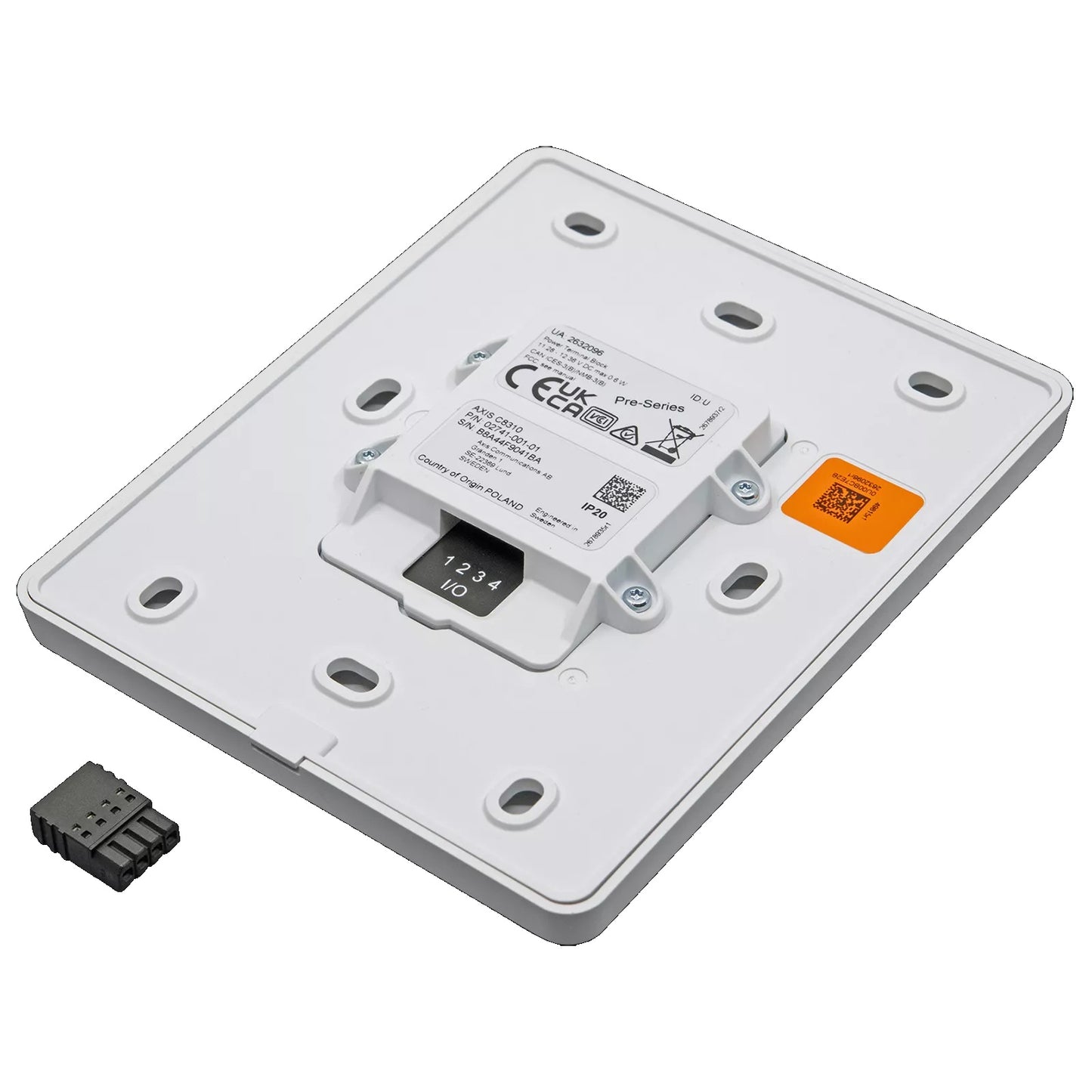
AXIS C8310 Volume Controller with Touch Control, Audio Source Selection & I/O Trigger
The AXIS C8310 delivers hands-on audio management for installers and AV integrators who need a compact, wall-mounted control point for networked audio systems. Designed to work within the AXIS Audio Manager ecosystem, it provides touch-based volume control, audio source selection, and I/O triggering from a single device. Suitable for retail, hospitality, and commercial environments where local control of background audio is essential.
Why This Model
- Touch volume control: Allows staff on the floor to adjust audio levels directly at the device without needing app access or a backend login, keeping operations smooth.
- Audio source selection: Switch between multiple audio sources from the unit itself, making it practical for venues that run different content zones or scheduled programming.
- I/O trigger support: Built-in I/O triggering lets the C8310 interact with other systems or automate audio events, reducing the need for separate control hardware.
Need help choosing?
Click to ask a question - same day response (~2 hours during business hours)
Product Overview
Model: C8310
Who This Is For
When a networked audio system needs hands-on, local control without relying on software or a tablet, the AXIS C8310 Volume Controller fills that gap. Integrators deploying AXIS network audio across retail stores, warehouses, aged care facilities, schools, or corporate campuses use the C8310 to give staff a physical touchpoint for adjusting volume, switching between audio sources, and triggering I/O actions - all from a clean wall-mounted unit. It suits environments where background music, public address, and alarm tones run from the same system but need to be managed independently at a zone level. If your project involves AXIS Audio Manager and you need local user control without exposing a software interface, the C8310 is the hardware that bridges the two.
What This Device Actually Does
Touch Volume Control
The C8310 provides touch-sensitive volume adjustment directly on the unit. Staff can raise or lower audio output in a zone without accessing any app or control room, making it practical for retail floors, reception areas, or open-plan workspaces where audio levels need quick, routine changes.
Audio Source Selection
Operators can switch between configured audio sources directly from the controller. In environments running background music alongside scheduled announcements or alarm tones, this lets a single staff member at the unit select which source plays through the connected zone without any software interaction.
I/O Trigger Capability
The built-in I/O trigger allows the C8310 to initiate external actions - such as triggering a pre-recorded announcement, activating a relay, or signalling another device. This makes it useful in scenarios where a single button press on the wall needs to set off a wider system response.
AXIS Audio Manager Integration
The C8310 is designed to work within the AXIS network audio ecosystem, integrating with AXIS Audio Manager for zone configuration and schedule management. The controller's behaviour - what sources it can select, what I/O it triggers - is defined centrally in the management software and reflected locally on the device.
Clean Wall-Mount Form Factor
Built for permanent surface or wall-plate installation, the C8310 has a slim, professional appearance suited to corporate, education, and hospitality environments. It presents a purpose-built interface rather than a repurposed tablet or generic control panel, keeping installs tidy and intentional.
Who Buys This Model
- AV and security integrators: Specifying physical control endpoints for AXIS networked audio deployments where end-users need zone-level control without software access.
- Retail and hospitality operators: Running background music and in-store announcements from an AXIS audio system and needing floor staff to adjust volume or switch sources at the zone without calling IT.
- School and aged care facility managers: Requiring a simple, clearly labelled wall controller for PA and background audio systems where staff have no technical background and need a single-touch interface.
- Corporate and commercial fit-out contractors: Installing AXIS audio in multi-zone environments - meeting rooms, lobbies, open-plan offices - where each zone needs an independent, locally operated control point.
Honest Assessment
The AXIS C8310 does one job well: it puts physical, local control into the hands of end-users within an AXIS network audio system. The touch interface for volume, source selection, and I/O triggering removes the need for staff to interact with AXIS Audio Manager directly, which is a genuine advantage in sites with non-technical users. The I/O trigger adds flexibility that goes beyond simple volume control, making the unit useful in structured PA environments where actions need to chain. Where the C8310 will not help is outside the AXIS audio ecosystem - it is not a standalone audio controller and has no function independent of a configured AXIS network audio deployment. It also does not replace zone amplifiers, speakers, or source devices; it is a control surface only. If the requirement is audio hardware rather than a control interface, different products in the AXIS audio range available through Security Australia will be the starting point.
Before You Buy
System Note: The C8310 requires an existing AXIS network audio infrastructure and AXIS Audio Manager configuration to function. The sources it can select, the zones it controls, and the I/O actions it triggers must all be pre-configured in the management software before the physical controller has anything to do. Plan your audio system architecture and software setup before adding the C8310 as a control endpoint - it is the last layer of the deployment, not the first.
Installation Note: Confirm your wall-mount or back-box dimensions prior to ordering. The C8310 is designed for permanent installation and is typically powered over the network connection - verify PoE availability at the intended wall location during pre-wire planning, as retrofitting a data point later adds cost to the install.
Quick Fit Check
- Good match if: You are deploying AXIS networked audio and need a clean, wall-mounted physical interface for staff to control volume and audio sources in a specific zone without software access.
- Good match if: Your installation requires an I/O trigger at a local control point - for example, a wall-press that initiates a pre-recorded announcement or activates a relay as part of a structured PA response.
- You may need a different model if: You need audio output hardware - speakers, horn arrays, or amplifiers - rather than a control interface. The C8310 controls audio; it does not produce or amplify it, and other products in the AXIS audio range cover those requirements.
Key Features & Technical Specifications
Real-World Scenarios
How It Compares
- Choose this if: Your AXIS audio deployment needs a permanent, physical control interface at zone level so non-technical staff can manage volume, audio sources, and I/O triggers without accessing AXIS Audio Manager software.
- You may need a different model if: Your requirement is audio output rather than control - AXIS network speakers, horn speakers, or amplified audio endpoints from the AXIS audio range will be the appropriate starting point for that hardware layer.
- Pairs well with: AXIS network audio speakers, AXIS Audio Manager software, and AXIS network audio source devices deployed as part of a zoned audio infrastructure.
Common Questions
-
Will the C8310 work as a standalone volume controller without an AXIS audio system?
No. The C8310 is designed exclusively for use within the AXIS network audio ecosystem and requires AXIS Audio Manager configuration to function. Without an existing AXIS audio deployment, the controller has no sources to select, no zones to adjust, and no actions to trigger. It is a control endpoint, not a standalone device. -
Does the I/O trigger on the C8310 require programming, or does it work out of the box?
It requires configuration. The I/O trigger behaviour - what action it fires, what device or audio event it initiates - is defined in AXIS Audio Manager before the C8310's trigger has any function. Once configured centrally, the physical button on the unit executes that action with a single press. No further software interaction is needed during daily operation. -
How many audio sources can the C8310 switch between?
The number of selectable sources is determined by how the system is configured in AXIS Audio Manager, not a fixed hardware limit on the C8310 itself. The sources available to a given controller are defined during system setup and assigned to that zone's control point. Confirm your source configuration requirements with your integrator during the design phase. -
Does this work for a site running multiple audio zones independently?
Yes. The C8310 is well suited to multi-zone deployments where each zone needs its own local control point. One unit is installed per zone, each configured in AXIS Audio Manager to control only its assigned zone. This lets different areas of a building operate independently at the local level while remaining centrally manageable through the software. -
Is the C8310 powered by PoE or does it need a separate power supply?
The C8310 is powered via the network connection - confirm with your network infrastructure that a PoE-capable switch port or injector is available at the intended wall location during pre-wire planning. A separate mains power supply at the mounting point is not required, which simplifies installation and keeps wall penetrations minimal. -
Can non-technical staff operate the C8310 without training?
Yes, in practice. The touch interface is designed for end-user operation - the controls are limited to the functions configured by the integrator, so staff interact only with what they are permitted to change. Volume adjustment and source selection are direct, single-touch actions. The I/O trigger is also a single press. There is no software interface or menu navigation involved in day-to-day use. The AXIS C8310 is stocked by Security Australia for integrators and facilities managers specifying controlled, user-friendly audio deployments.
Downloads & Resources
No downloads available for this product.
What This Product Does
The AXIS C8310 delivers hands-on audio management for installers and AV integrators who need a compact, wall-mounted control point for networked audio systems. Designed to work within the AXIS Audio Manager ecosystem, it provides touch-based volume control, audio source selection, and I/O triggering from a single device. Suitable for retail, hospitality, and commercial environments where local control of background audio is essential.
Why This Model
- Touch volume control: Allows staff on the floor to adjust audio levels directly at the device without needing app access or a backend login, keeping operations smooth.
- Audio source selection: Switch between multiple audio sources from the unit itself, making it practical for venues that run different content zones or scheduled programming.
- I/O trigger support: Built-in I/O triggering lets the C8310 interact with other systems or automate audio events, reducing the need for separate control hardware.
Not sure if this suits your site?
Ask our team before ordering. We can help confirm lens choice, recorder compatibility, mounting accessories and project quantities.
Downloads
Get Product Help
Ask our team before ordering. We can help confirm lens choice, recorder compatibility, mounting accessories and project quantities.
Shipping & Warranty
3 Years Manufacturer Warranty
All IP cameras and recording devices (NVR’s/DVR’s) are covered by a 3 year back-to-base manufacturer warranty.
Our warranty is limited to the replacement of faulty items or parts and does not include damage due to incorrect fitting of parts or accessories, or damage due to mishandling the equipment once out of the box. All faults are sent to the manufacturer for inspection and diagnosis before a replacement is sent out.
Read more about the Terms & Conditions here – https://www.securityaustralia.com.au/terms-and-conditions/
Free Delivery* & Despatch Time
*Just spend over $200 to activate Fast Free Shipping!
Despatch Times: Products are despatched on the same day if the order was placed before 11am on any weekday, Monday - Friday. All other orders are processed and despatched within 24 hours or next business day.
Order Confirmation: Once you place an order, you will receive a confirmation email. This indicates that your order has been received in our system and is now being processed for dispatch. If your item is back-ordered or unavailable, we will notify you via email, and if we do not receive a response, we will attempt to contact you by phone as soon as possible. We value your time and strive to be prompt. If your item(s) are available for immediate shipment (within 2 days), we will process the charges and prepare the order for shipping.
Shipping Times: General shipping times for StarTrack, TNT and Allied couriers are between 1-3 working days from despatch. Longer delivery times may be caused by your package being held at your local courier depot that is beyond our control. Please contact us or the local post depot for confirmation.
Tracking Numbers: all tracking numbers will be emailed to you by our warehouse processing team within the day, after your order is despatched to our local courier.

Get expert advice
Tell us what you need help with and our team will send practical product advice straight to your inbox.


AXIS C8310 Volume Controller with Touch Control, Audio Source Selection & I/O Trigger